Test Case Management
Push test results to external test management platforms automatically.
Push test results to external test management platforms automatically when tests are ingested. Configure credentials and mapping rules to control which jobs sync to which projects.
TestRail
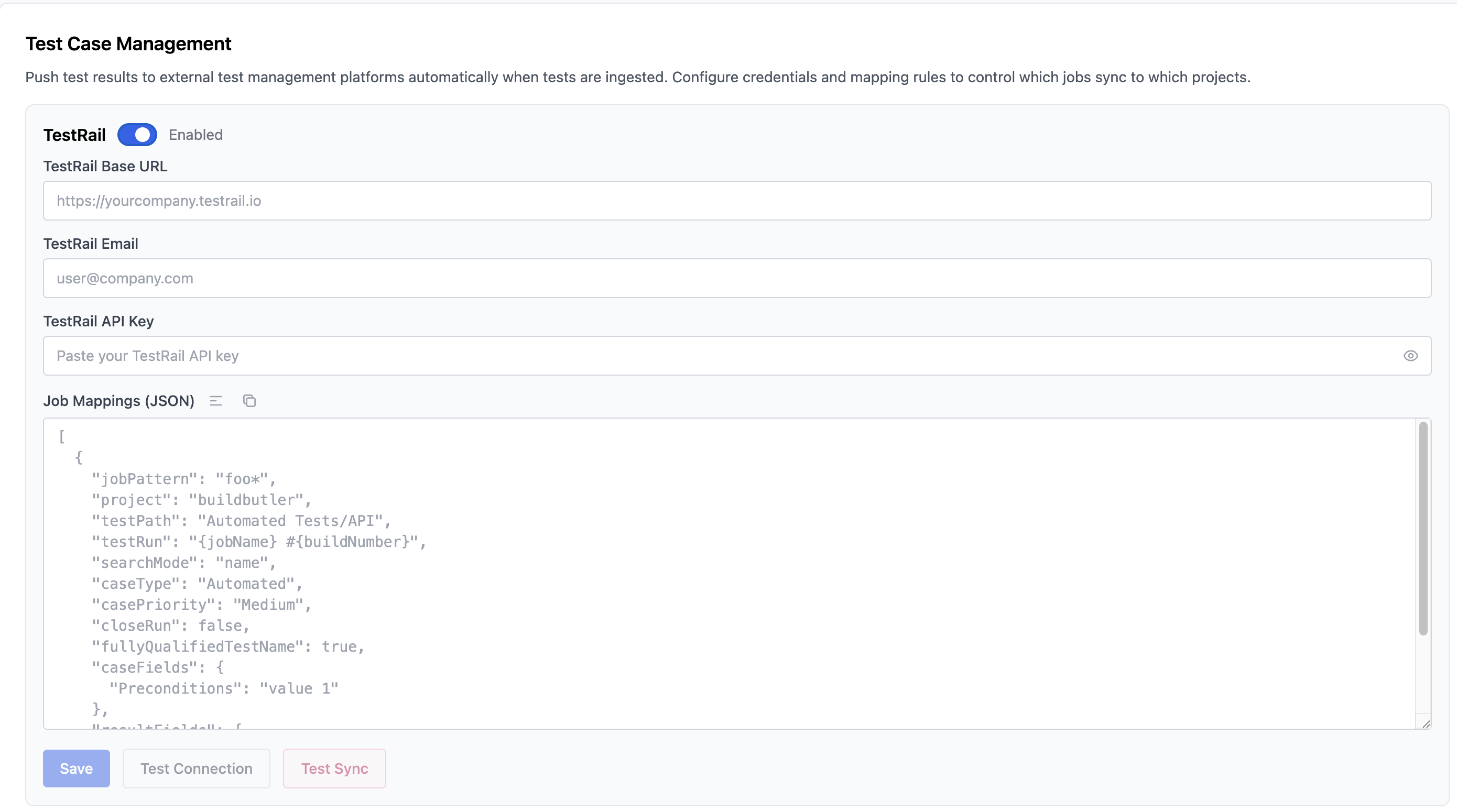
- TestRail Base URL — e.g.
https://yourcompany.testrail.io - TestRail Email — your TestRail account email
- TestRail API Key — generate from TestRail under My Settings → API Keys
- Job Mappings (JSON) — rules mapping job patterns to TestRail projects and test runs
Example mapping:
ALM (Micro Focus / OpenText)
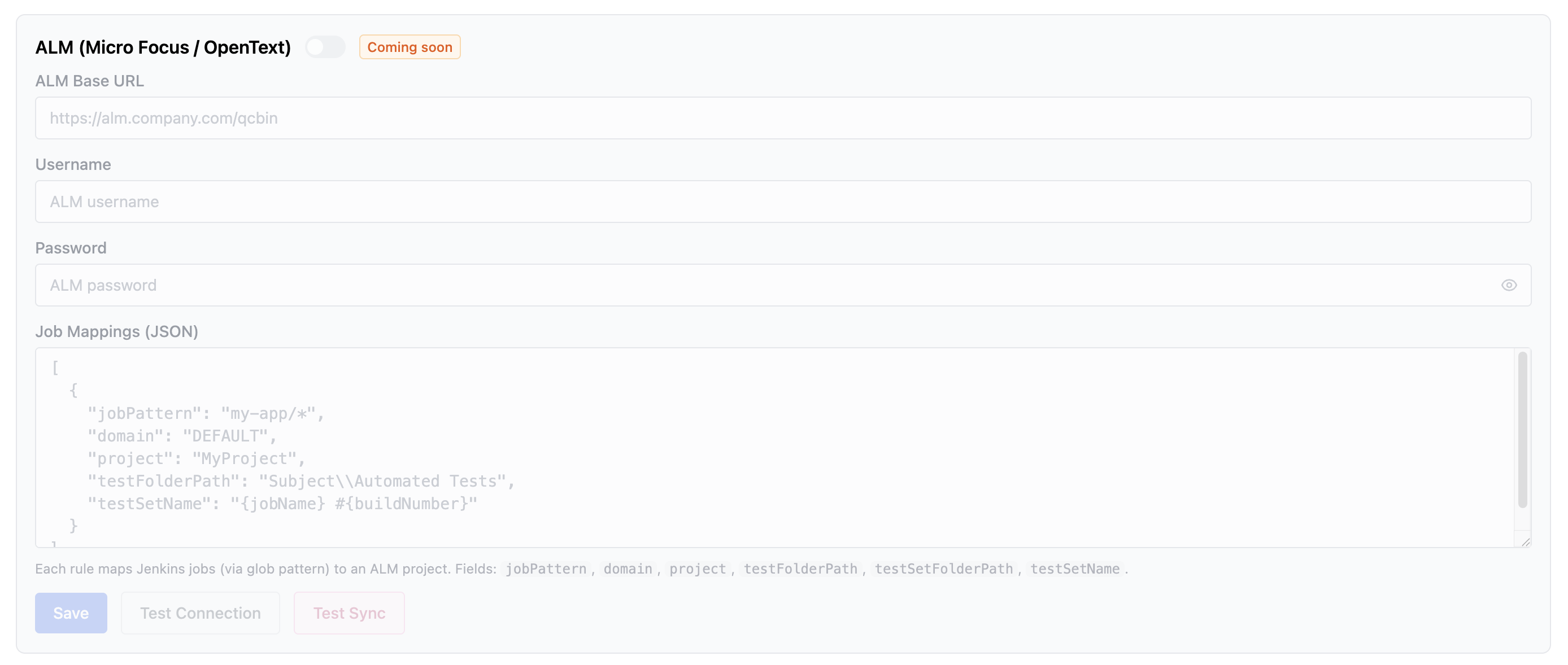
Credentials
- ALM Base URL — e.g.
https://alm.company.com/qcbin - Username — your ALM username
- Password — your ALM password
ALM Field Mappings XML
Bumblebee-compatible XML that maps human-readable labels to internal ALM field names. Labels are referenced in Custom Properties (post-build step) and customProperties (JSON config).
See Jenkins Local → ALM Integration → ALM Field Mappings XML for the full format reference and an example.
Jenkins Local — post-build step
Add Build Butler HP ALM Uploader as a post-build step in any Jenkins job.
| Field | Description |
|---|---|
| Domain | ALM domain (e.g. DEFAULT) |
| Project | ALM project name |
| Test Plan | Test Plan folder path. Must start with Subject\ (e.g. Subject\Automated) |
| Test Plan Mode | find-only — never writes to Test Plan; tests not found are skipped. create-minimal — creates a bare stub (name + folder only) when a test is not found, then creates the run. Existing tests are never modified in either mode. |
| Test Lab | Test Lab folder path. Must start with Root\. Supports {jobName}, {buildNumber}, {branch}. |
| Test Set | Test set name. Supports template variables. Leave blank to use {jobName} #{buildNumber}. |
| Format | Test result format: junit, testng, trx, allure, cucumber, robot |
| Result File Pattern | Ant-style glob for result files (e.g. **/target/surefire-reports/*.xml) |
| Custom Properties | Comma-separated label=value pairs applied to test entities. Labels resolved via ALM Field Mappings XML above. |
| Fail build if upload unsuccessful | Mark the build as failed if the ALM upload fails or no test IDs are matched |
HP ALM Auto Defect Management
| Field | Description |
|---|---|
| Defect Create Policy | -- disabled · Create create/update defects for failing tests · Reopen create or reopen defects for failing tests |
| Create Status | Status assigned to a newly created defect (e.g. New) |
| Create Defect Mappings | Fields set on a newly created defect. One per line: label=value |
| Reopen Status | Status assigned when reopening a defect (effective only when Create Policy is Reopen) |
| Reopen Defect Mappings | Fields set on a reopened defect. One per line: label=value |
| Severity | Value for the ALM Severity field (e.g. 2-Medium) |
| Defect Resolve Policy | -- disabled · Close close open defects when the corresponding test passes |
| Resolve Status | Status assigned when closing a defect (e.g. Closed) |
| Resolve Defect Mappings | Fields set on a resolved defect. One per line: label=value |
Standalone — job mappings JSON
For the BuildButler Cloud or Standalone server, configure rules as a JSON array:
Fields: jobPattern, domain, project, testPlanDirectory, testLabDirectory, testSet, customProperties. Template variables {jobName}, {buildNumber}, {branch} are supported in path and name fields.
Xray Coming Soon
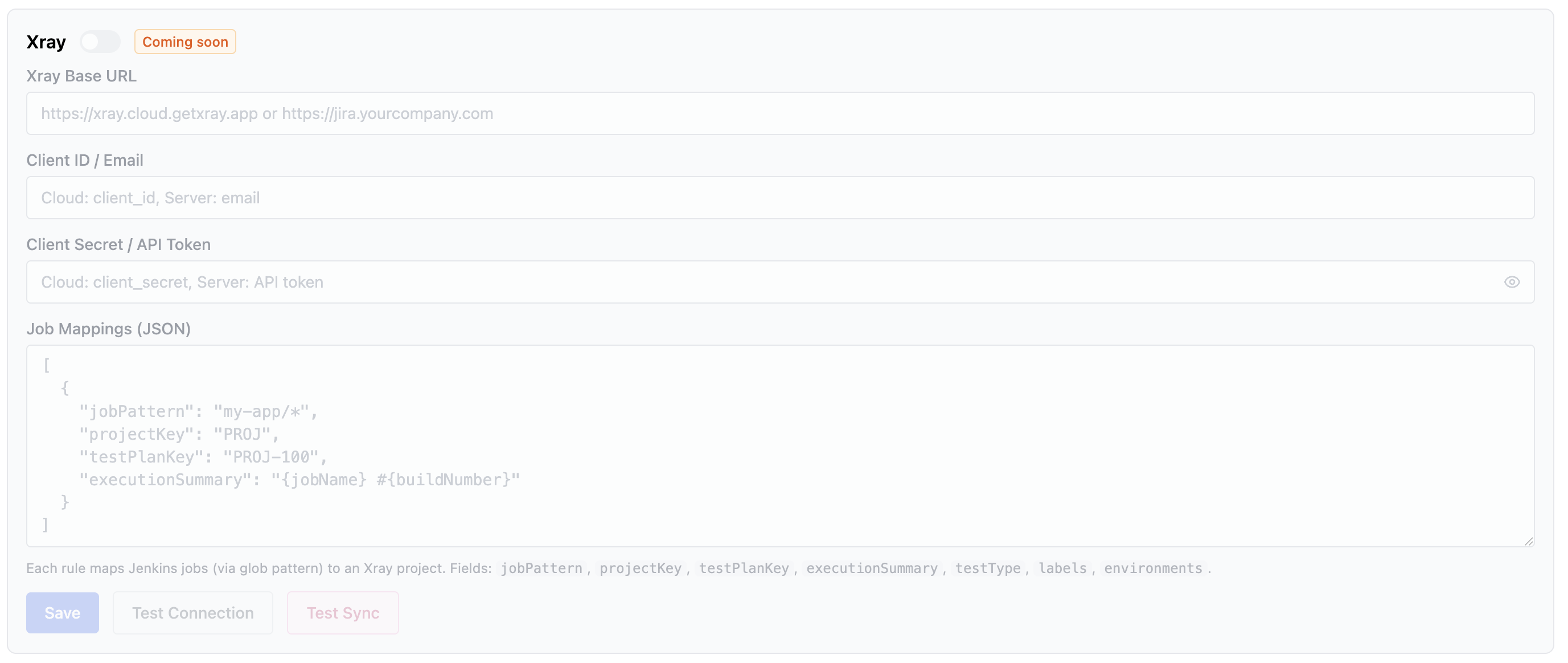
- Xray Base URL —
https://xray.cloud.getxray.app(Cloud) or your Jira URL (Server) - Client ID / Email — Cloud: client ID, Server: email
- Client Secret / API Token — Cloud: client secret, Server: API token
- Job Mappings (JSON) — rules mapping job patterns to Xray projects
Example mapping:
Fields: jobPattern, projectKey, testPlanKey, executionSummary, testType, labels, environments.
Zephyr Scale Coming Soon
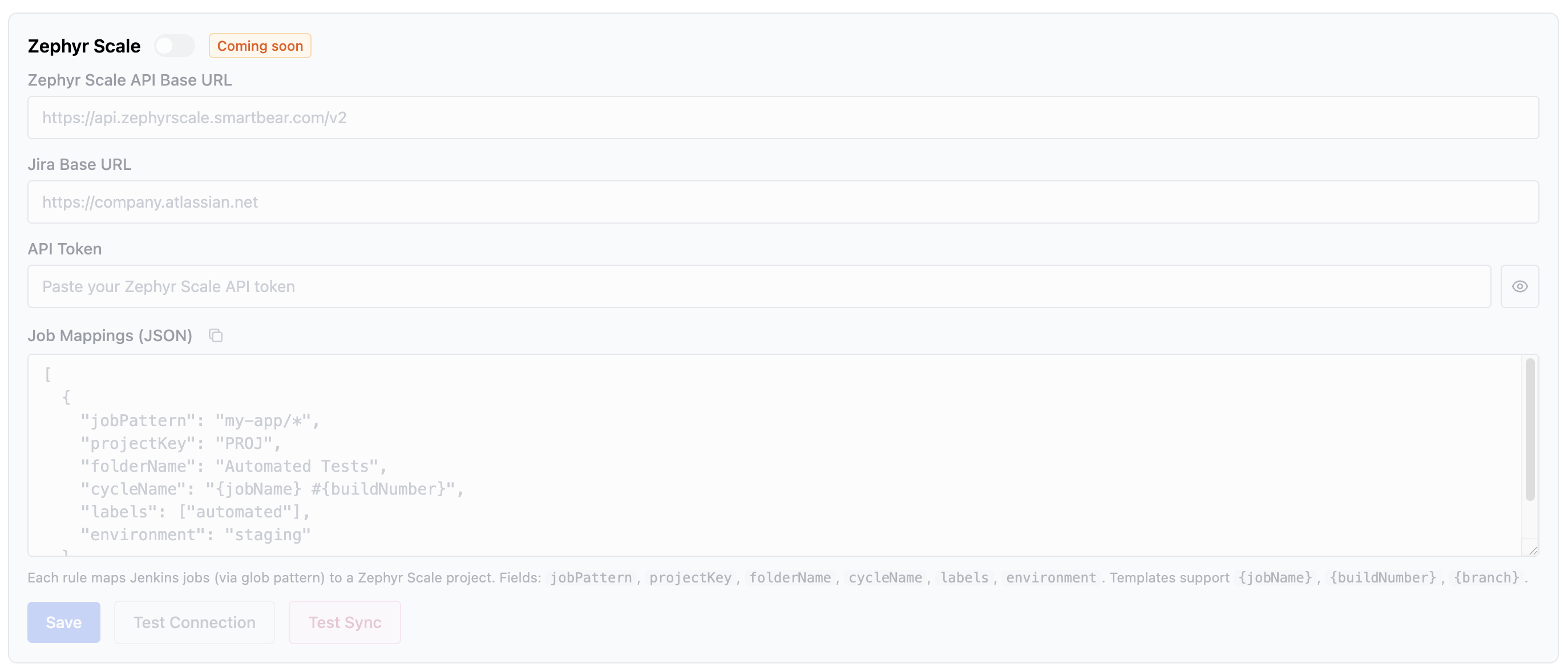
- Zephyr Scale API Base URL — e.g.
https://api.zephyrscale.smartbear.com/v2 - Jira Base URL — e.g.
https://company.atlassian.net - API Token — your Zephyr Scale API token
- Job Mappings (JSON) — rules mapping job patterns to Zephyr Scale projects
Example mapping:
Fields: jobPattern, projectKey, folderName, cycleName, labels, environment. Templates support {jobName}, {buildNumber}, {branch}.