Ask AI
Query your build data in natural language using the AI assistant powered by Claude.
The Ask AI page provides a conversational interface where you can ask questions about your Jenkins build data in plain English.
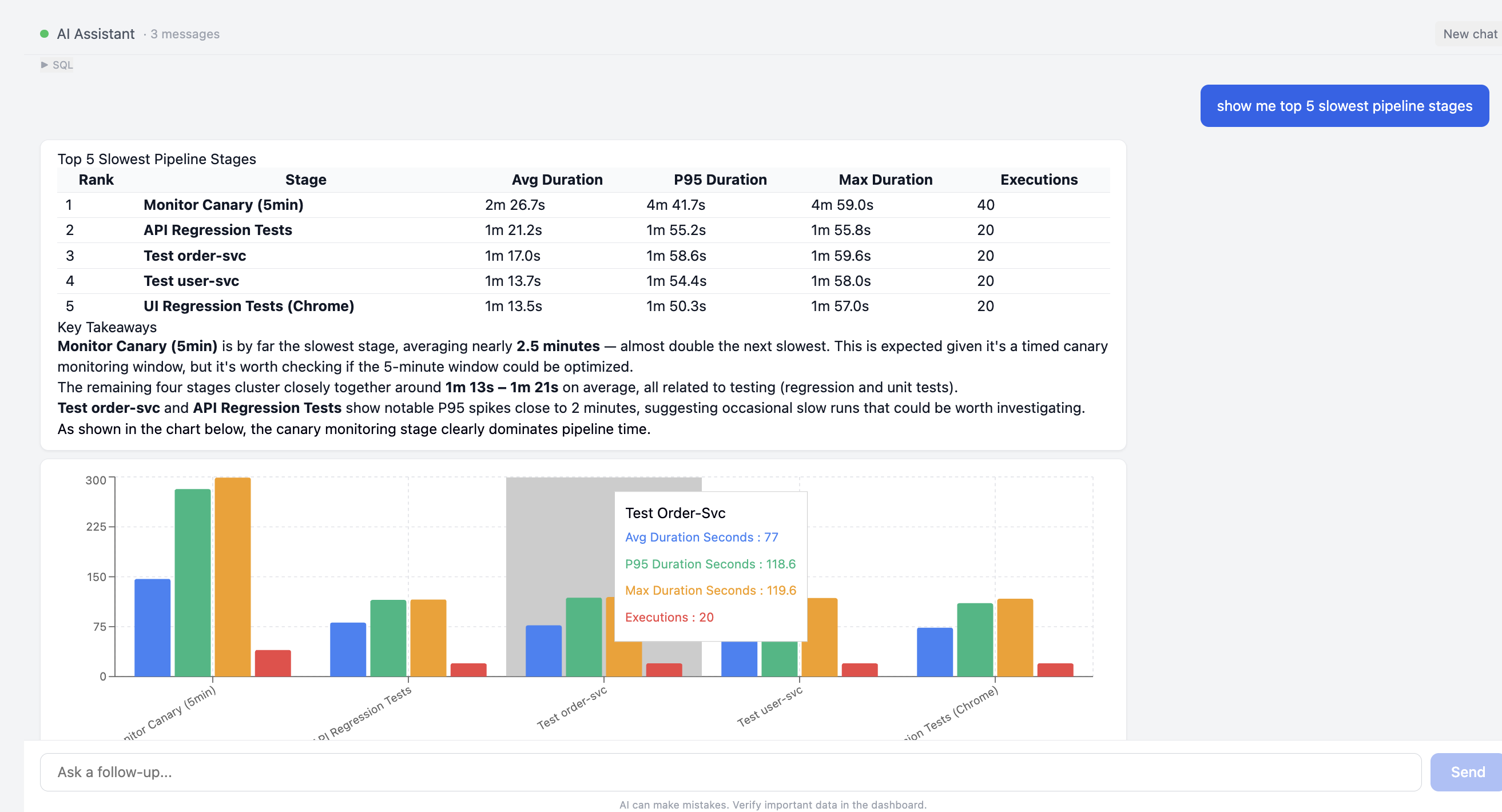
How it works
Type a question in the chat input and the AI assistant will:
- Analyse your question
- Query the BuildButler database
- Return structured results — tables, summaries, or explanations
The assistant has access to all your build results, test data, pipeline stages, and agent information.
Example queries
- "Show me the slowest pipeline stages"
- "Which jobs have the highest failure rate this month?"
- "What tests failed in the last build of backend/api-service?"
- "How many builds ran yesterday?"
- "Which agents have been offline in the past week?"
- "Compare test pass rates between main and develop branches"
Response format
The AI returns data in structured formats:
- Tables — for queries that return multiple rows (e.g., stage durations, job statistics)
- Summaries — for aggregate questions (e.g., "how many builds failed?")
- Explanations — for analytical questions (e.g., "why did this build fail?")
Chat management
- Click New chat to start a fresh conversation
- Previous messages are preserved within the current session
- The message count is shown next to "AI Assistant" in the header
Configuring the AI provider
The AI assistant is configured in Settings → AI Provider. You can choose:
| Setting | Description |
|---|---|
| Provider | The LLM provider (e.g., Anthropic) |
| Model | The specific model (e.g., Claude Opus 4.6) |
| API Key | Your API key for the selected provider |
To change the provider or model, update the settings and click Save. Use Reset to Default to restore the original configuration.
The AI assistant requires a valid API key to function. The key is stored securely and only used for processing your queries against your own build data.