Reporting
Create TV-ready dashboards with build trends, duration analytics, and customisable panels.
The Reporting page lets you create custom dashboards that can be projected as slide shows on a TV or wall display — perfect for team visibility.
Dashboard overview
Each dashboard is a collection of panels. Panels rotate automatically as a slide show with configurable slide duration. A panel can show trend charts, aggregation metrics, or build lists depending on the panel type.
Trend panels
Trend panels include:
- Build Trends — a stacked area chart showing daily build volume by status (Success, Failure, Unstable, Aborted)
- Build Duration Trends — a line chart with Average, P50, and P95 duration metrics over time
- Jobs — clickable chips showing which jobs are included in the panel
Aggregation panels
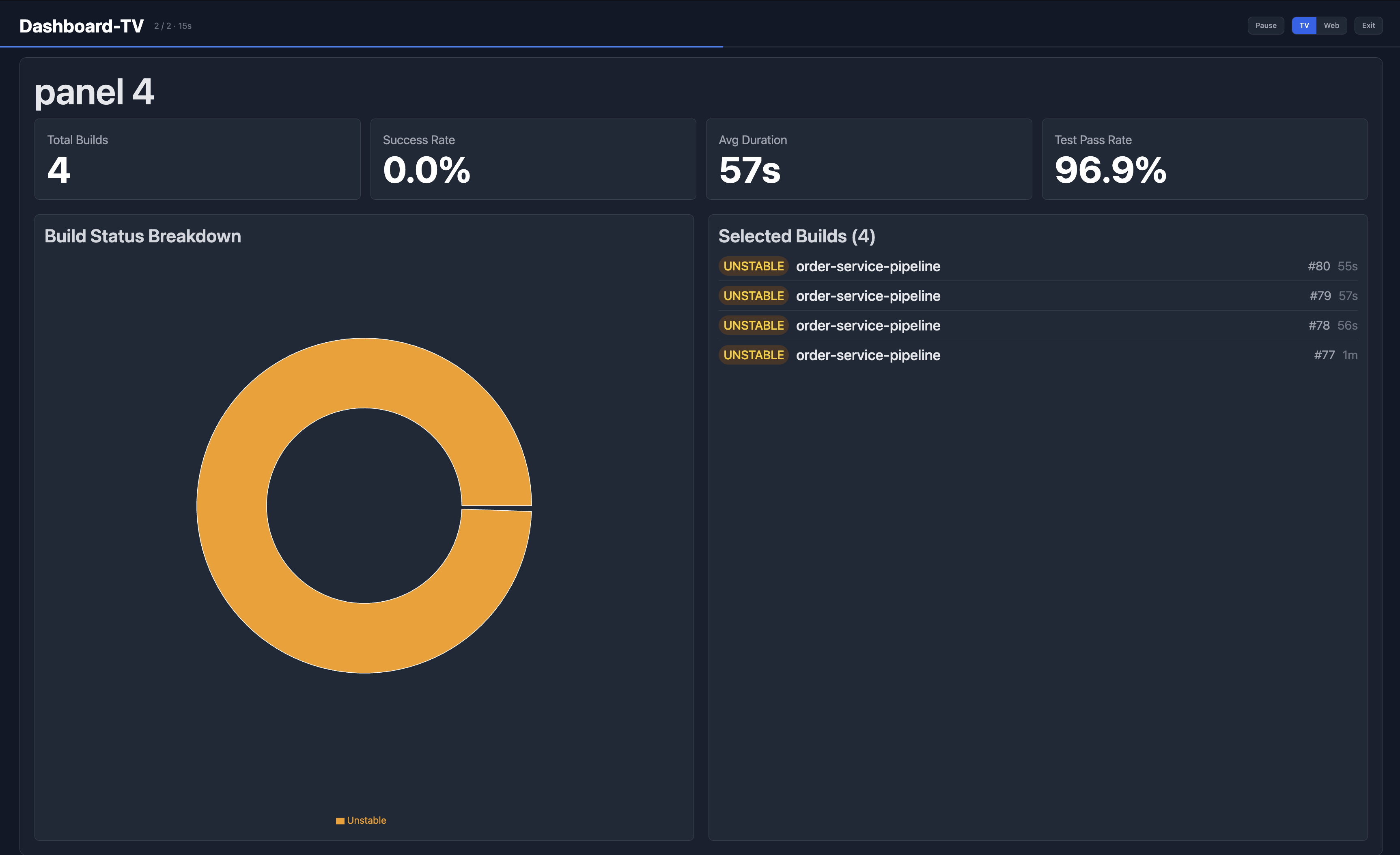
Aggregation panels show summary metrics for selected builds:
- Total Builds — number of builds in the selection
- Success Rate — percentage of successful builds
- Avg Duration — average build duration
- Test Pass Rate — overall test pass rate
- Build Status Breakdown — donut chart of build outcomes
- Selected Builds — list of builds included with status, build number, and duration
TV Mode
Click TV in the top-right controls to enter full-screen TV mode. Panels auto-rotate on a dark background optimised for large displays. Controls include Pause, TV/Web toggle, and Exit.
Editing dashboards
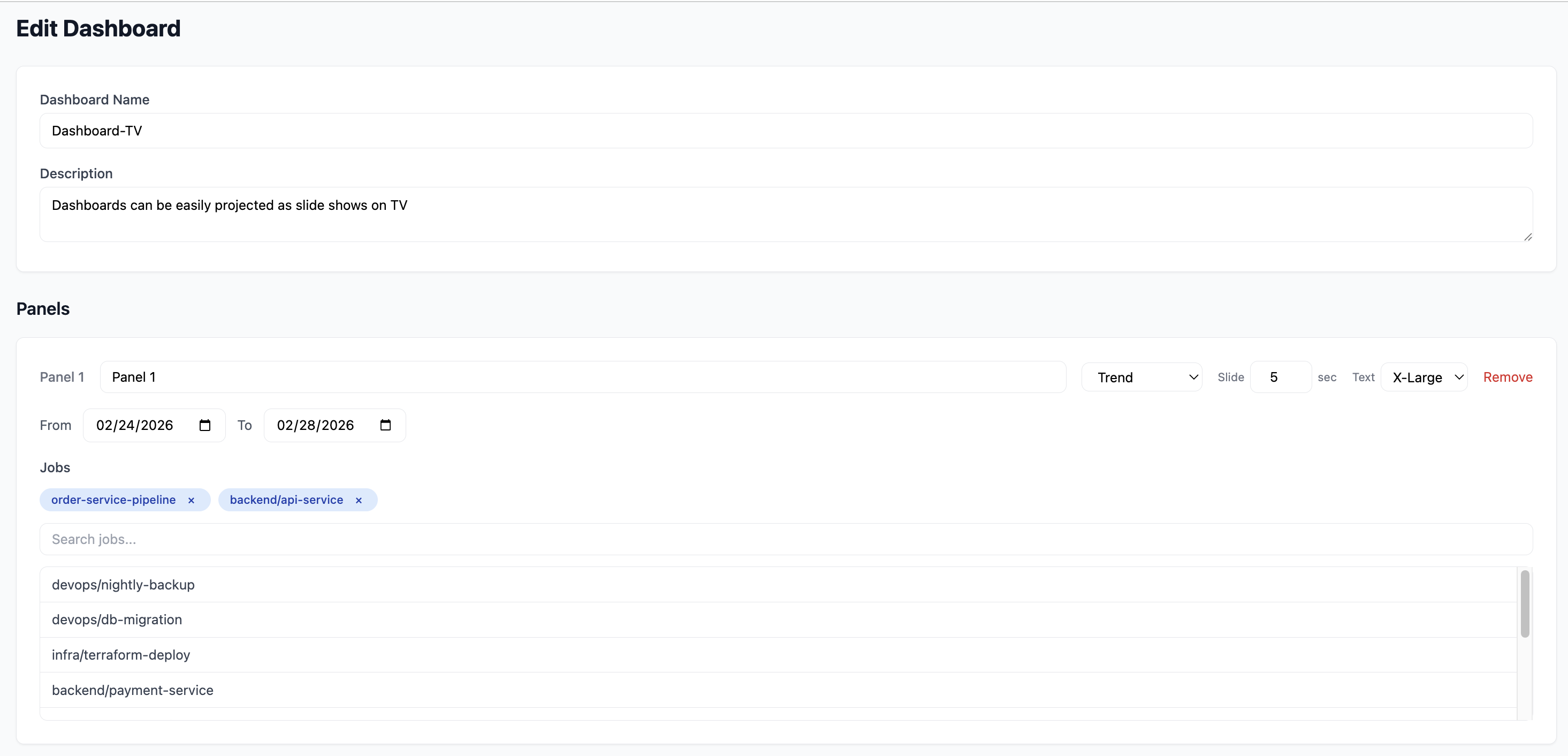
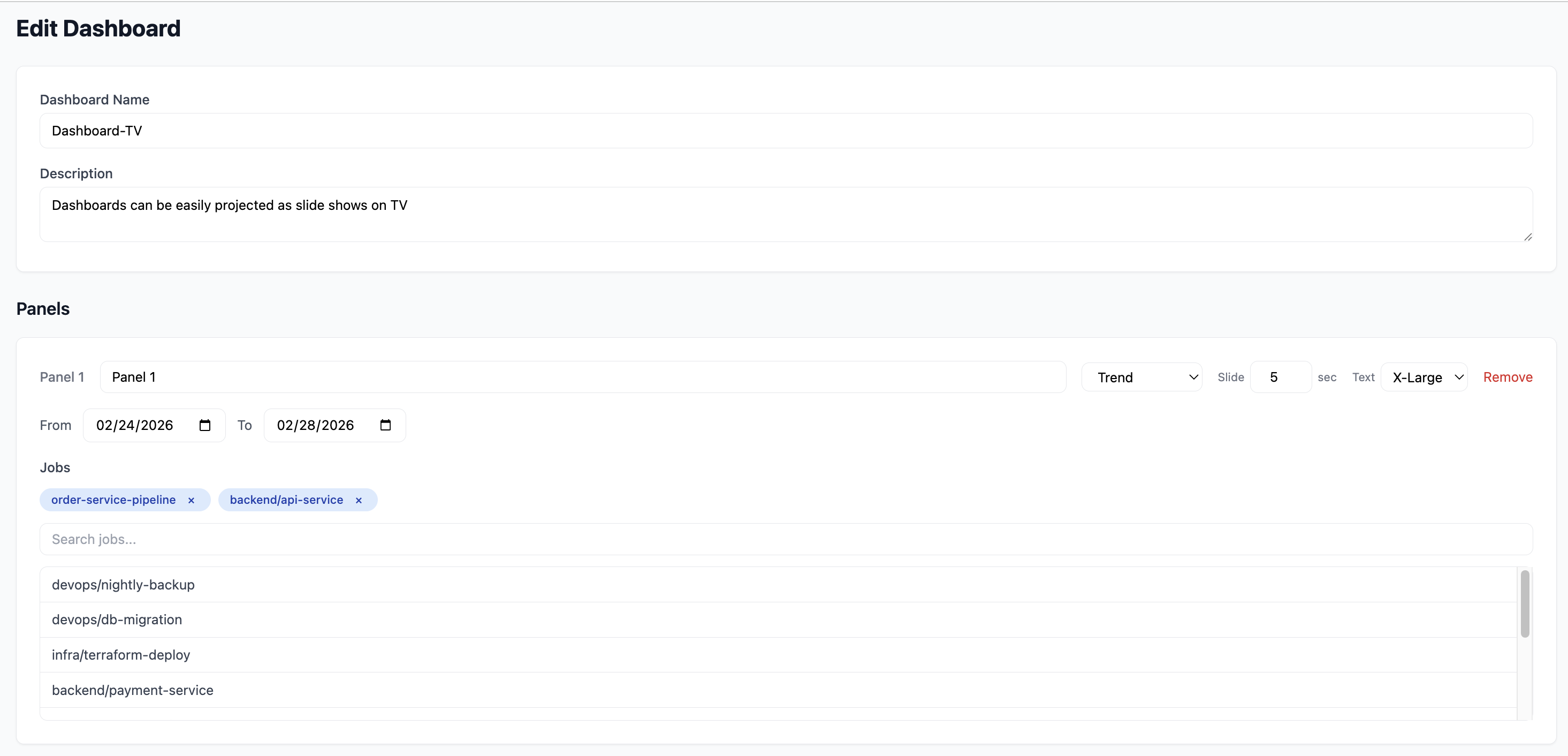
Click Edit Dashboard to configure your dashboard. You can set:
- Dashboard Name — display name shown in the header
- Description — optional subtitle
Panel configuration
Each panel supports:
| Setting | Description |
|---|---|
| Panel name | Custom label for the panel |
| Type | Trend or Aggregation |
| Slide duration | How long the panel displays before rotating (in seconds) |
| Text size | X-Large, Large, Medium, Small |
| Date range | From/To date pickers per panel |
| Jobs / Builds | Select specific jobs (Trend) or specific builds (Aggregation) |
| Filters | Additional filters for narrowing builds |
You can add multiple panels, reorder them, and remove panels with the Remove button.