Jenkins Cloud
Hosted Jenkins plugin that sends CI data to the BuildButler backend for storage and analytics, viewed in the BuildButler web app.
The Jenkins Cloud plugin sends build, test, stage, and agent data to the BuildButler hosted backend. Data is stored in an isolated database per organization (for paid plans) and viewed in the BuildButler web app at app.buildbutler.dev.
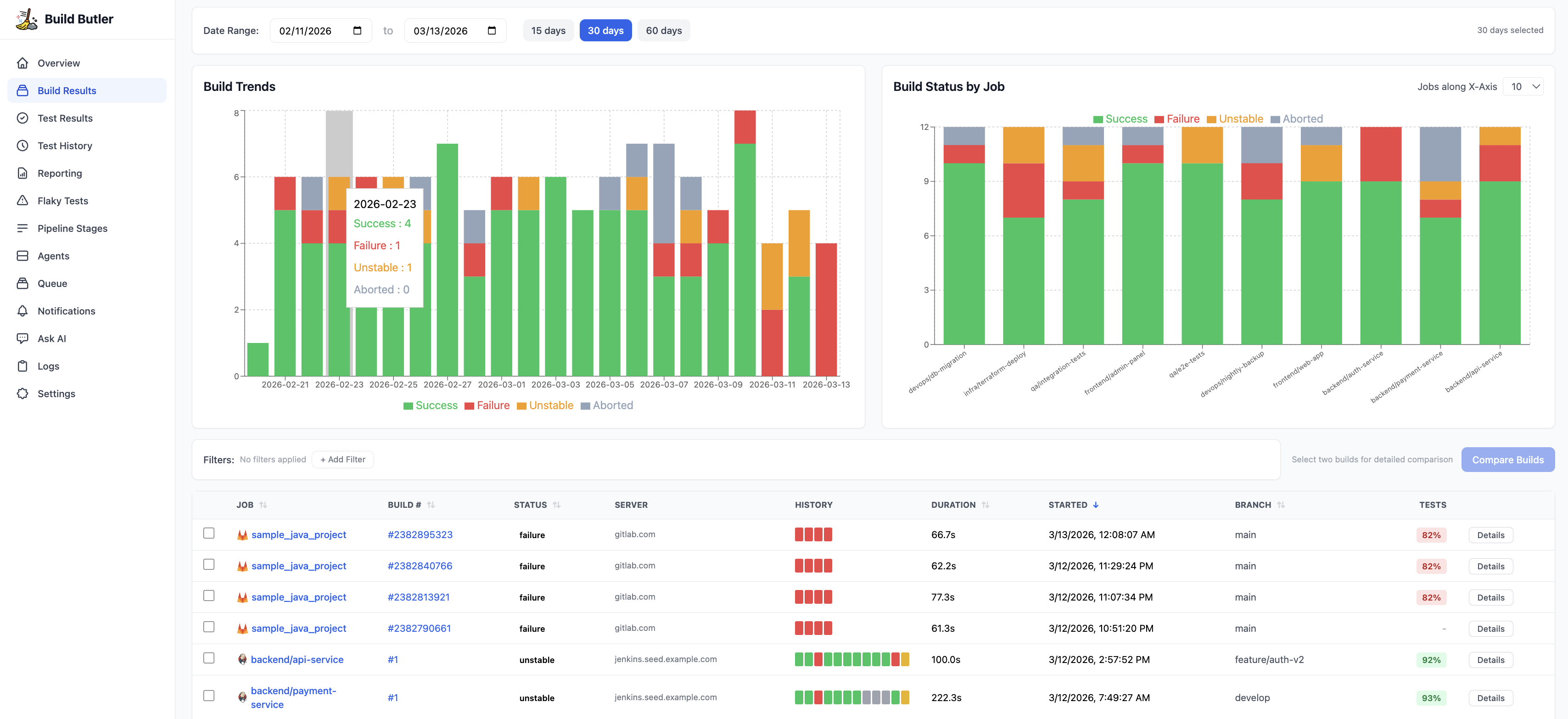
How it works
Each organization gets its own isolated database (paid plans) — your data is never adjacent to another customer's data. During the trial/free period, user data resides on a shared database and partitioned using membership and organizational rules and boundaries.
Prerequisites
- Jenkins 2.387.3 or later
- Outbound HTTPS access from Jenkins to
api.buildbutler.dev - A BuildButler account at app.buildbutler.dev
- Java 11+
Installation
- Download the
buildbutler-cloud.hpiplugin from the Downloads page. - In Jenkins, go to Manage Jenkins → Plugins → Advanced.
- Under Deploy Plugin, upload the
.hpifile and click Deploy. - Restart Jenkins when prompted.
Configuration
Step 1 — Generate an API key
In the BuildButler web app, go to Settings → Add API key. Copy it — you'll need it in the next step.
Multiple Jenkins servers: If you want to collect data from multiple Jenkins servers, use the same API key on each and specify a unique server label in the Jenkins plugin configuration to distinguish them.
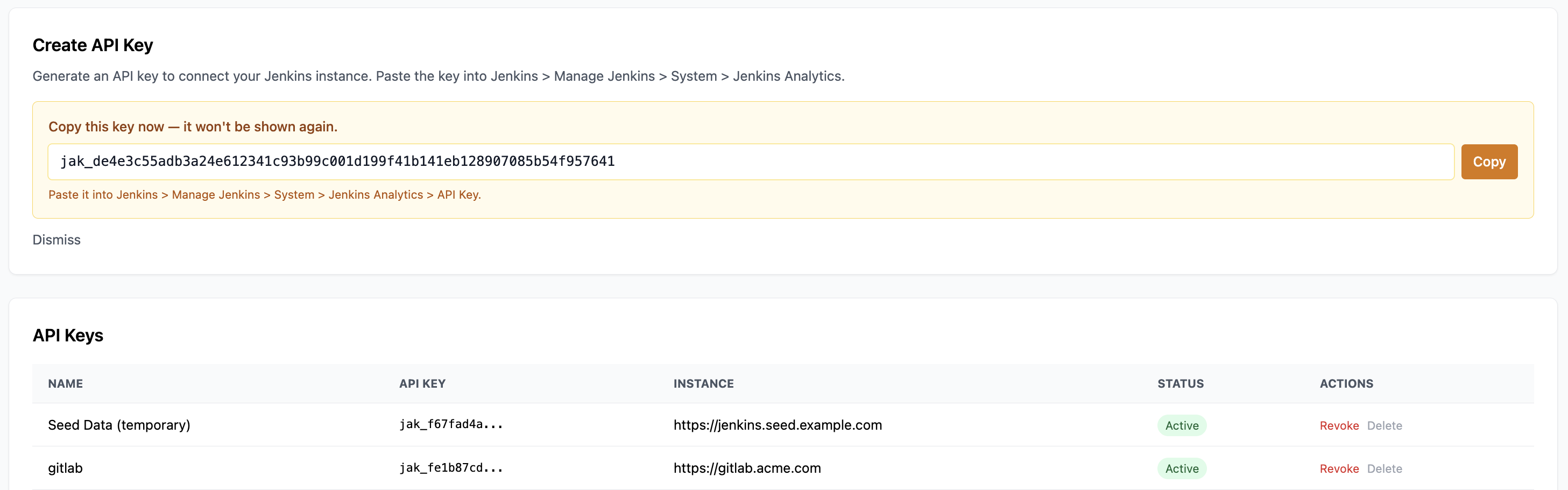
Step 2 — Configure the plugin in Jenkins
Go to Manage Jenkins → BuildButler Cloud and fill in:
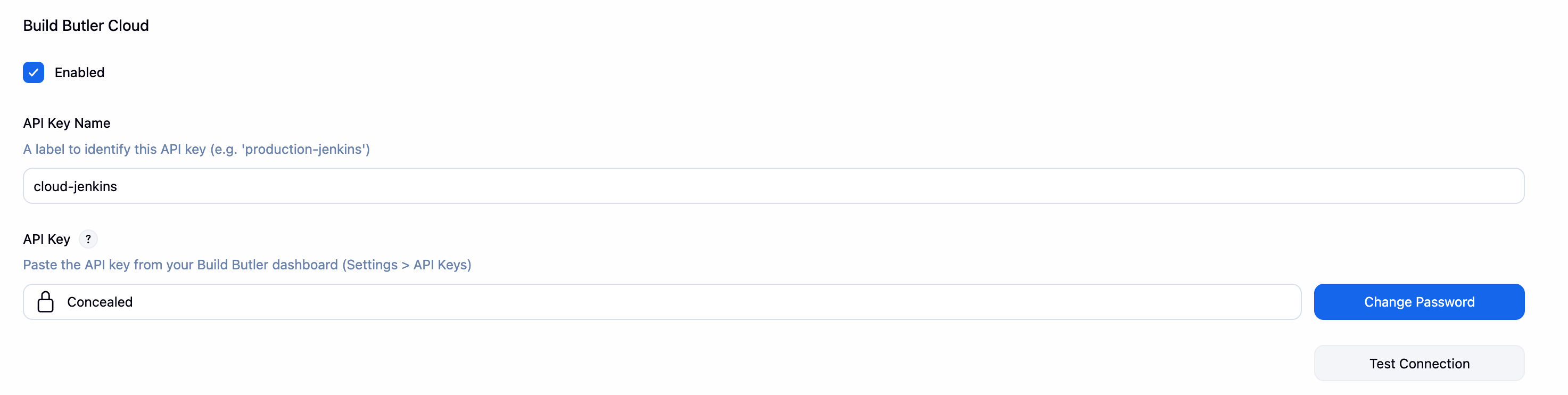
Click Test Connection to verify the plugin can reach the BuildButler API, then Save.
Step 3 — Verify data is flowing
Trigger a build in Jenkins. Within a few seconds it should appear in the Build Results page in the BuildButler web app.
Data ingested
The plugin hooks into the Jenkins build lifecycle and sends:
| Data | When |
|---|---|
| Build result, status, duration, branch | On build completion |
| Pipeline stage execution times | On pipeline completion |
| Test results (JUnit/TestNG/etc.) | On build completion |
| Agent status and availability | Periodically (every 60s) |
| Build console logs | On build completion |
Storage
Data is stored in:
- PostgreSQL — build metadata, test results, pipeline stages, agent events
- Object storage (S3-compatible) — raw build console logs
All data is encrypted at rest and in transit. Each organization's database is fully isolated.
Multiple Jenkins controllers
Connect as many Jenkins controllers as you like. Each Jenkins BuildButler Cloud configuration should use the same API key (generated in step 1) and a key name that identifies the Jenkins server (e.g. prd-jenkins).
Network requirements
Your Jenkins instance needs outbound HTTPS access to:
api.buildbutler.dev— build data ingestion
If Jenkins is behind a proxy, set the proxy in Manage Jenkins → Proxy Configuration.
Compatibility matrix
| Jenkins LTS | Released | Java Required | buildbutler-cloud | buildbutler-local |
|---|---|---|---|---|
| 2.387.x | Mar 2023 | Java 11 | ❌ too old | ❌ too old |
| 2.401.x | May 2023 | Java 11–17 | ❌ too old | ❌ too old |
| 2.414.x | Aug 2023 | Java 11–17 | ❌ too old | ❌ too old |
| 2.426.x | Nov 2023 | Java 11–17 | ❌ too old | ❌ too old |
| 2.440.3 | Feb 2024 | Java 17 | ✅ minimum | ✅ minimum |
| 2.452.x | May 2024 | Java 17 | ✅ | ✅ |
| 2.462.x | Aug 2024 | Java 17 | ✅ | ✅ |
| 2.479.x | Nov 2024 | Java 17 | ✅ | ✅ |
| 2.492.x | Feb 2025 | Java 17 | ✅ | ✅ |
SMTP Configuration
By default, Jenkins Cloud uses the BuildButler API for email notifications. You can override the BuildButler SMTP server with your own by going to Manage Jenkins → BuildButler Email Notifications.
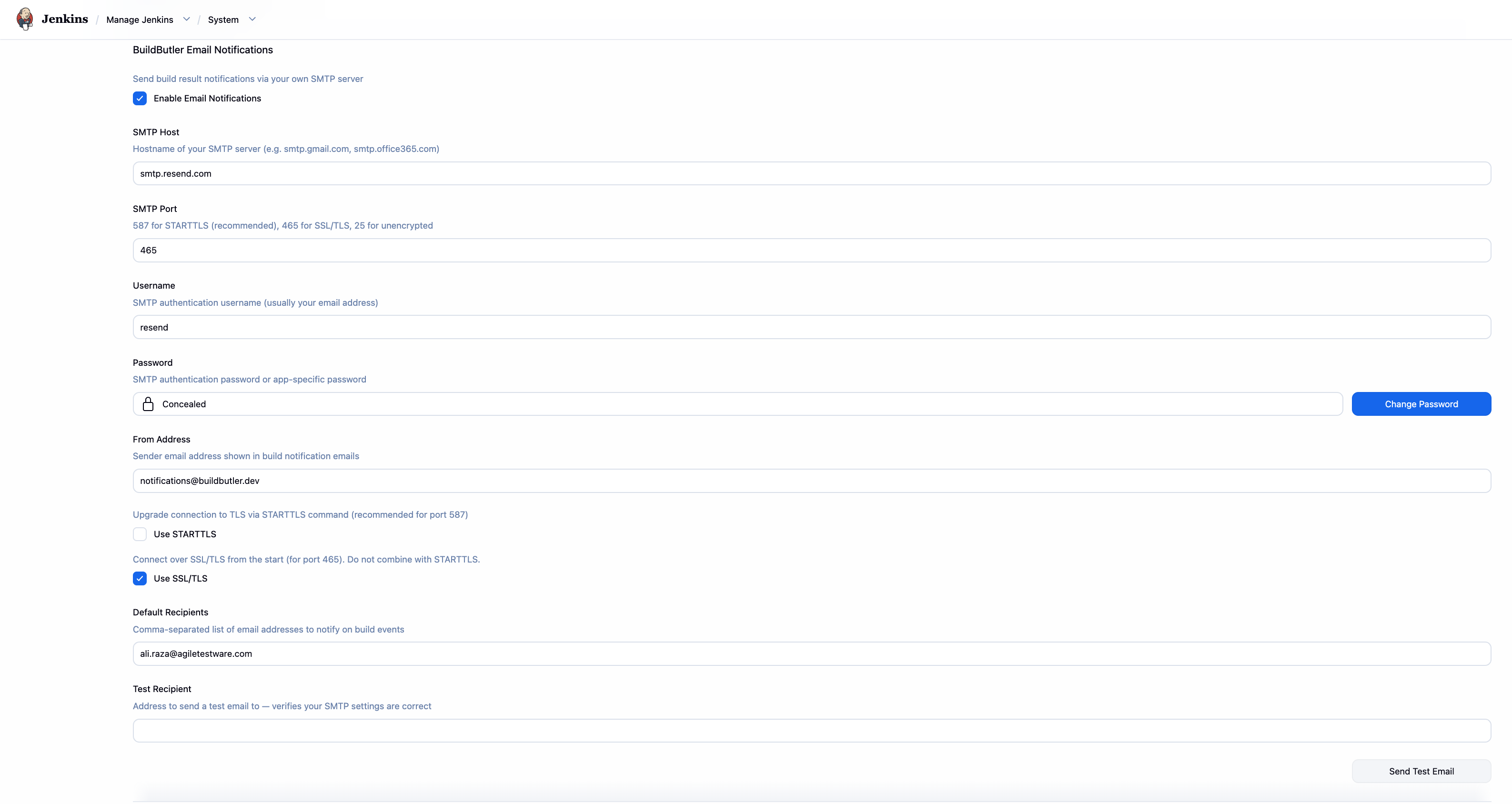
Troubleshooting
| Symptom | Likely cause | Fix |
|---|---|---|
401 Unauthorized | Invalid or expired API key | Regenerate the key in Settings → Connections |
Connection timeout | Firewall blocking outbound HTTPS | Allow egress to *.buildbutler.dev on port 443 |
| Builds not appearing | Plugin not transmitting | Check Jenkins system log for BuildButler errors. Add logger: io.jenkins.plugins.analytics |
| Logs missing | Object storage unreachable | Ensure logs.buildbutler.dev is accessible |