Compare Builds
Side-by-side comparison of any two builds — metrics, test results, and regressions at a glance.
The Compare Builds feature lets you place any two builds side-by-side and see exactly what changed between them.
How to compare
- Navigate to Build Results.
- Check the boxes next to two builds you want to compare.
- Click Compare Builds in the top-right corner.
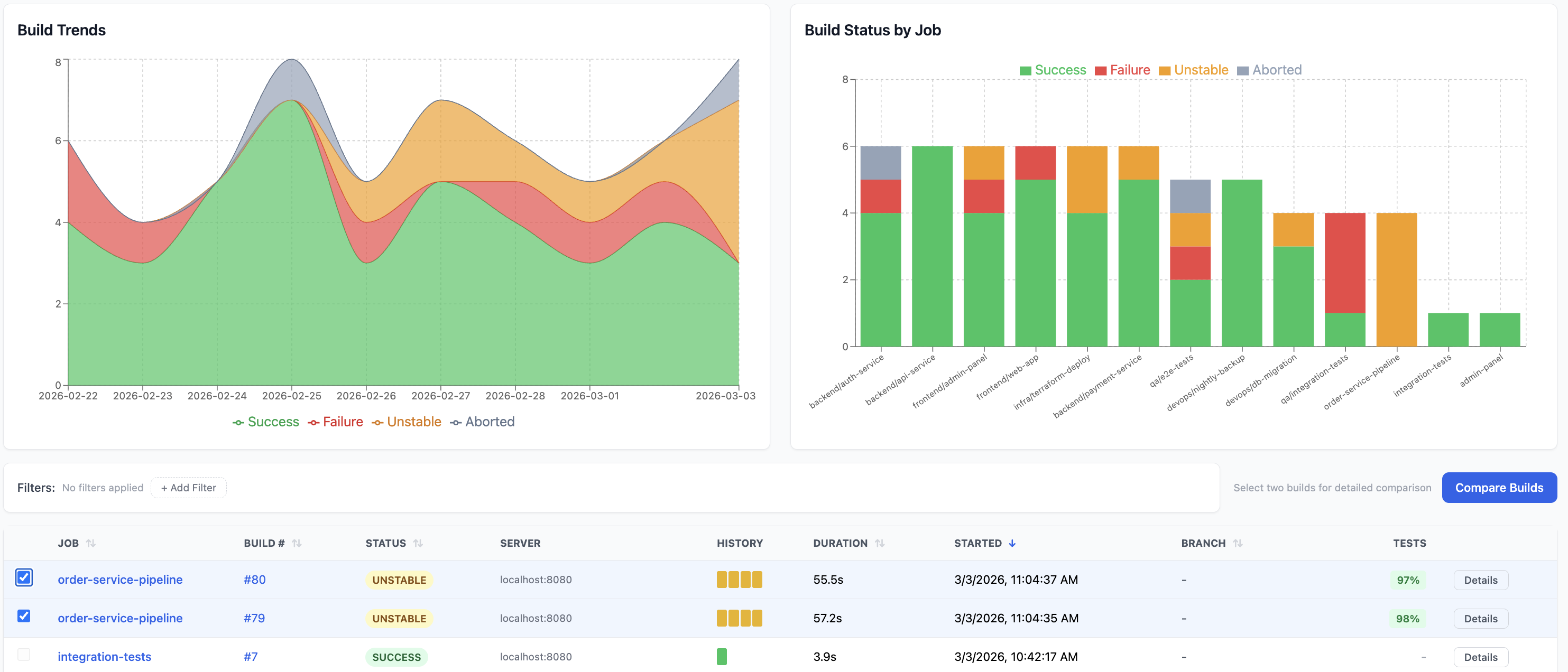
You'll be taken to the comparison view with a Back to Builds link to return.
Build summary cards
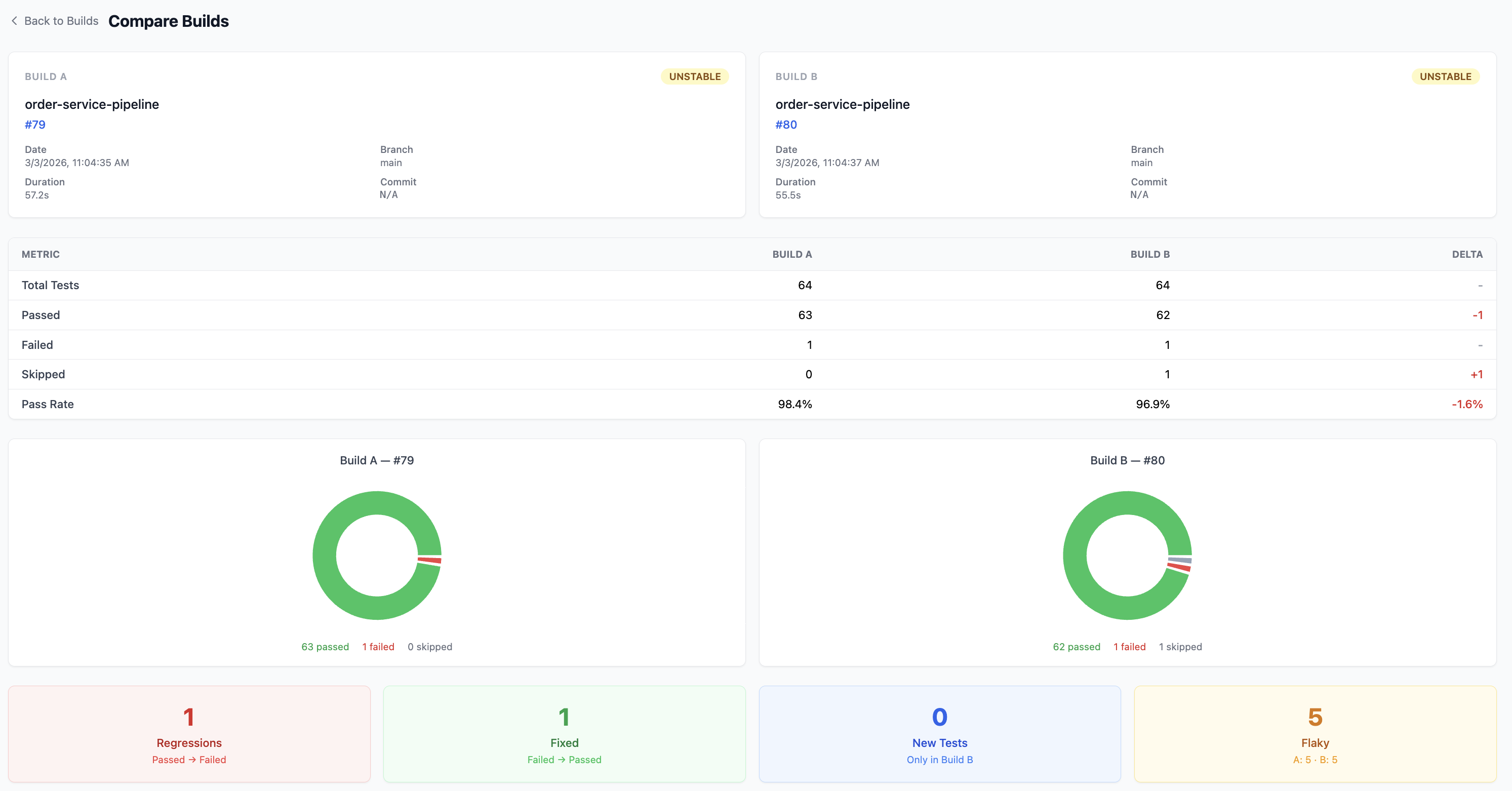
At the top, two cards display the key details for each build:
| Field | Description |
|---|---|
| Job | Jenkins job name |
| Build # | Build number |
| Status | SUCCESS, FAILURE, UNSTABLE, or ABORTED |
| Date | When the build ran |
| Branch | Git branch |
| Duration | How long the build took |
| Commit | Git commit SHA |
Test metrics comparison
A table compares test outcomes side-by-side with a Delta column highlighting the difference:
| Metric | Build A | Build B | Delta |
|---|---|---|---|
| Total Tests | 64 | 64 | - |
| Passed | 63 | 62 | -1 |
| Failed | 1 | 1 | - |
| Skipped | 0 | 1 | +1 |
| Pass Rate | 98.4% | 96.9% | -1.6% |
Positive deltas (improvements) are shown in green. Negative deltas are shown in red.
Test distribution donut charts
Below the metrics table, donut charts visualise the passed / failed / skipped breakdown for each build. This gives you an instant visual sense of test health.
Regression analysis
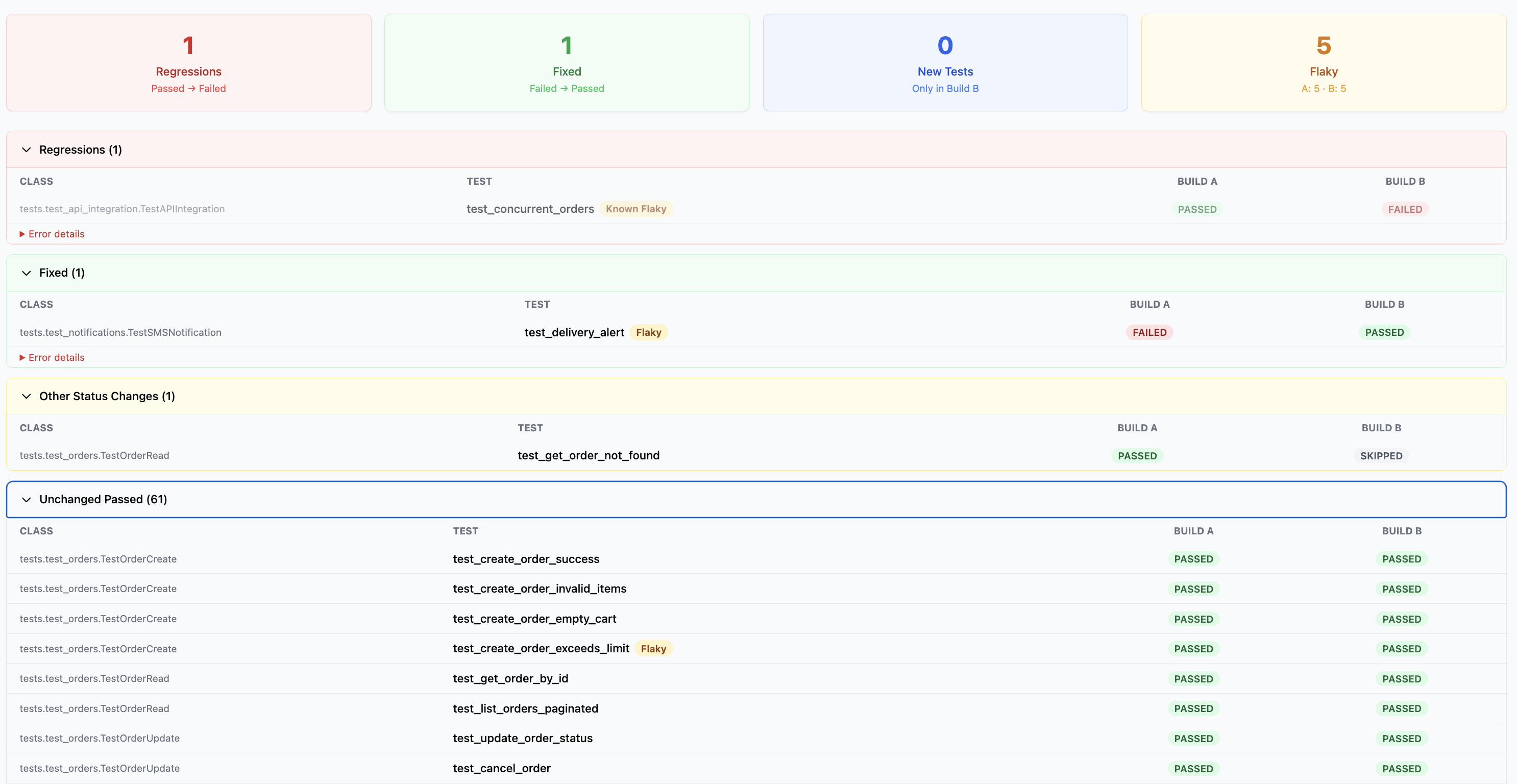
Four summary cards highlight changes between the two builds:
- Regressions — tests that went from Passed to Failed
- Fixed — tests that went from Failed to Passed
- New Tests — tests that only appear in Build B
- Flaky — tests flagged as flaky in either build
Below the summary cards, expandable sections list the individual tests in each category:
- Regressions — shows the class, test name, and status change with error details
- Fixed — tests that were previously failing and are now passing
- Other Status Changes — tests that changed status in other ways (e.g. Passed to Skipped)
- Unchanged Passed — all tests that passed in both builds
Tests tagged as Known Flaky or Flaky are labelled inline so you can distinguish real regressions from known flaky failures.